






Exploring MLLM-Diffusion Information Transfer with
MetaCanvas

1 Meta Superintelligence Labs2 UNC Chapel Hill3 New York University4 Nanyang Technological University
* Work done at Meta

Abstract

Multimodal learning has rapidly advanced visual understanding, largely via multimodal large language models (MLLMs) that use powerful LLMs as cognitive cores. In visual generation, however, these powerful core models are typically reduced to global text encoders for diffusion models, leaving most of their reasoning and planning ability unused. This creates a gap: current multimodal LLMs can parse complex layouts, attributes, and knowledge-intensive scenes, yet struggle to generate images or videos with equally precise and structured control. We propose MetaCanvas, a lightweight framework that lets MLLMs reason and plan directly in spatial and spatiotemporal latent spaces and interface tightly with diffusion generators. We empirically implement MetaCanvas on three different diffusion backbones and evaluate it across six tasks, including text-to-image generation, text/image-to-video generation, image/video editing, and in-context video generation, each requiring precise layouts, robust attribute binding, and reasoning-intensive control. MetaCanvas consistently outperforms global-conditioning baselines, suggesting that treating MLLMs as latent-space planners is a promising direction for narrowing the gap between multimodal understanding and generation.

Method (see more details below ↓)

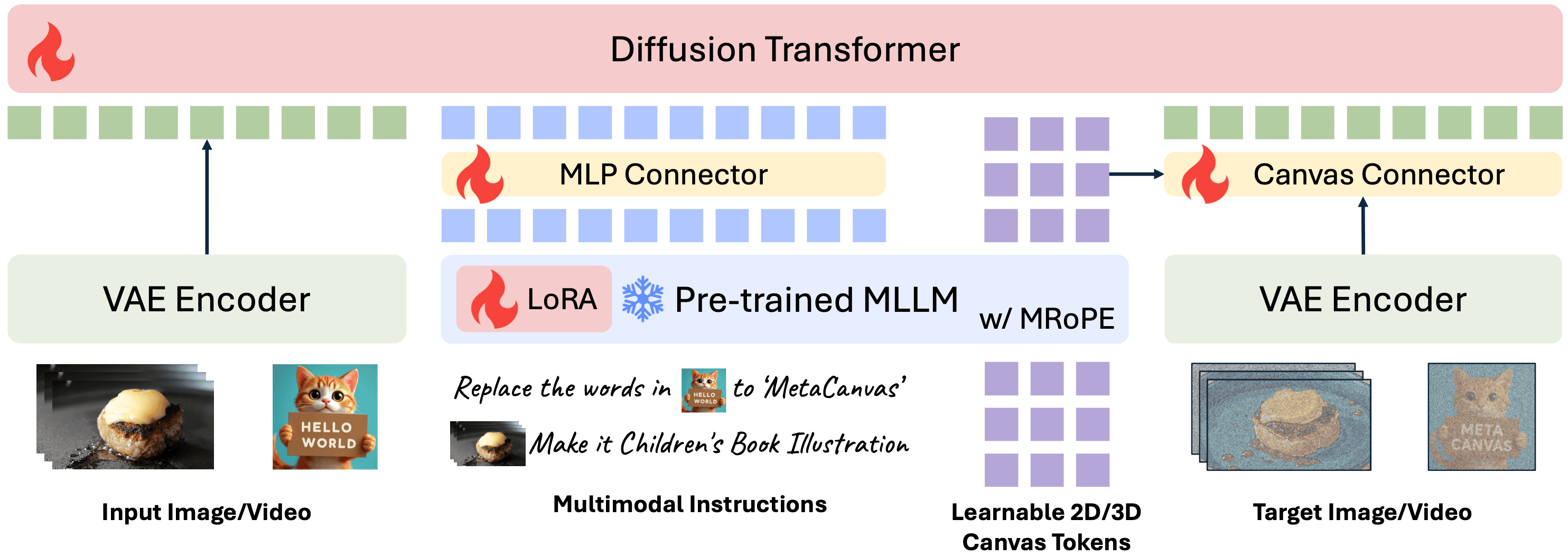
MetaCanvas Main Method Figure

Figure 1: Overview of the MetaCanvas framework. MetaCanvas tokenizes the text and encodes it using the MLLM’s text embedder, while user-provided images and videos are encoded using both the MLLM’s visual encoder and the VAE encoder. The text embeddings produced by the MLLM are passed through a lightweight MLP connector and used as conditioning for the DiT. In addition, we append a set of learnable multidimensional canvas tokens to the MLLM input, which are processed using multimodal RoPE (Bai et al., 2025b). The resulting canvas embeddings are then fused with the noisy latents through a lightweight transformer-based connector with two blocks. Connector details are illustrated below. Green tokens represent media context tokens, blue tokens represent text context tokens, and purple tokens represent the canvas tokens.
Generated Video Gallery

Here we present examples of in-context video generation, video editing, and text/image-to-video generation.


In-Context Video Generation


Reference Image 1 Reference Image 2 (optional) Input Prompt Generated Video

Place the anime character with long, flowing light blue hair in a serene garden at sunset, powerfully lifting weights. Sweat glistens on her determined face as she strains against the heavy barbell.

Show the man in a suit embracing his partner in a lavender field, both smiling and holding bouquets.

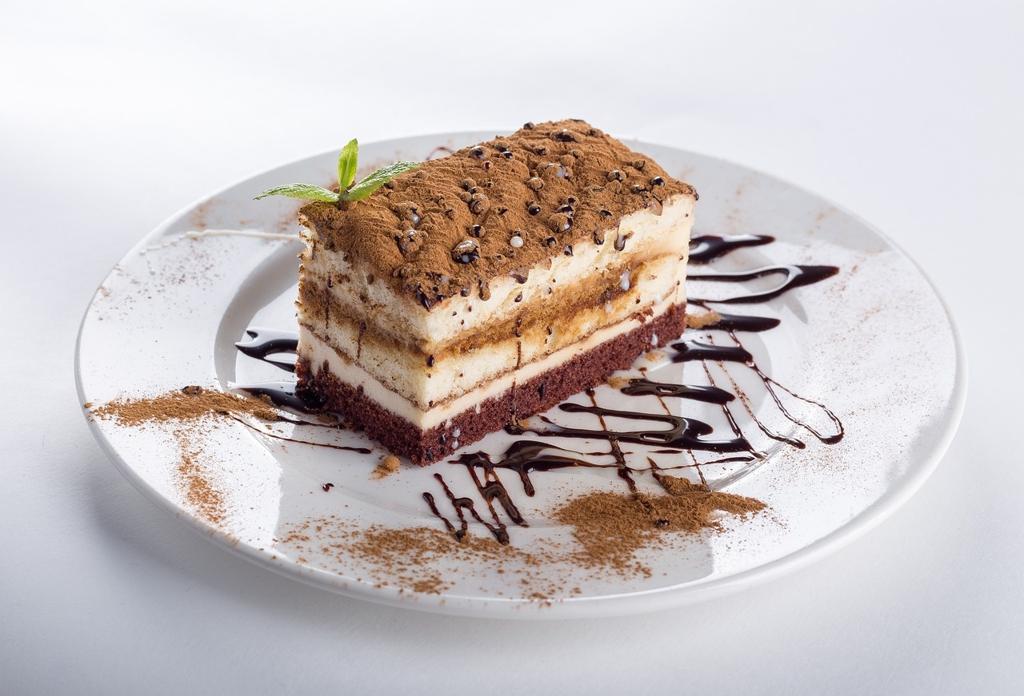
Position a slice of tiramisu elegantly on a marble altar in the center of the grand cathedral, surrounded by flickering candlelight that enhances its rich colors.

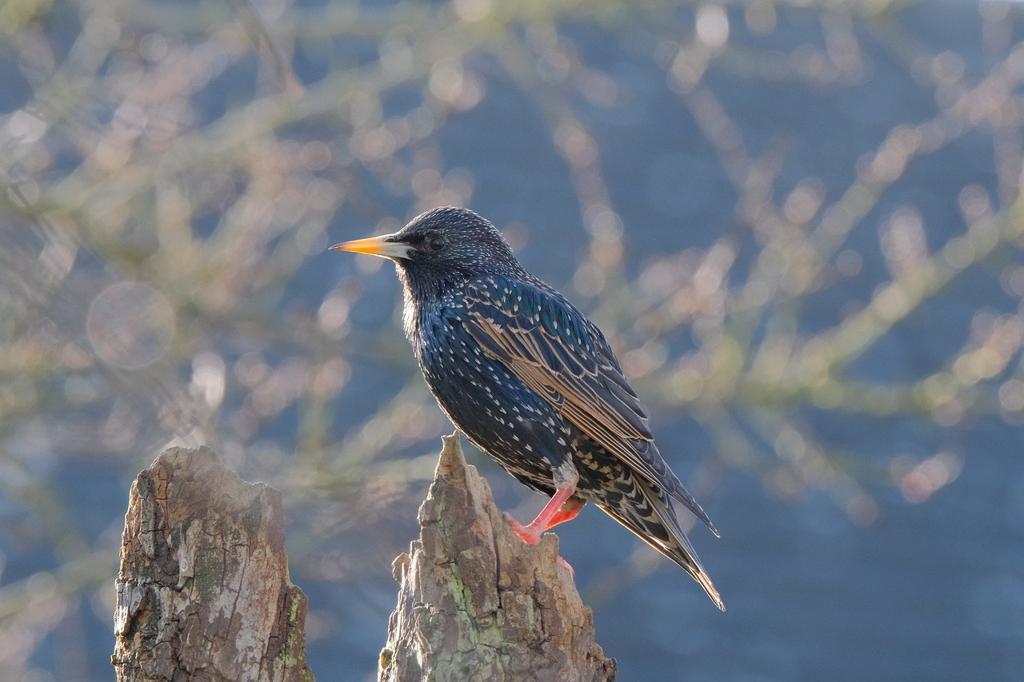
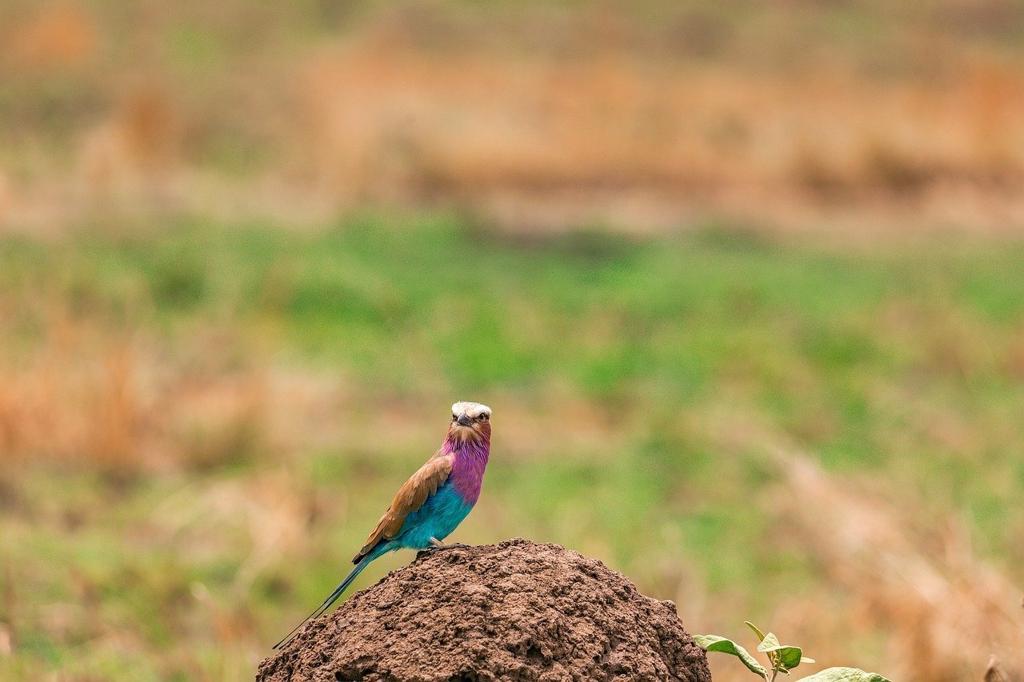
Perch a dark blue starling with white spots on the armrest of a vintage-style armchair, its yellow beak glinting in the warm light filtering through the window.

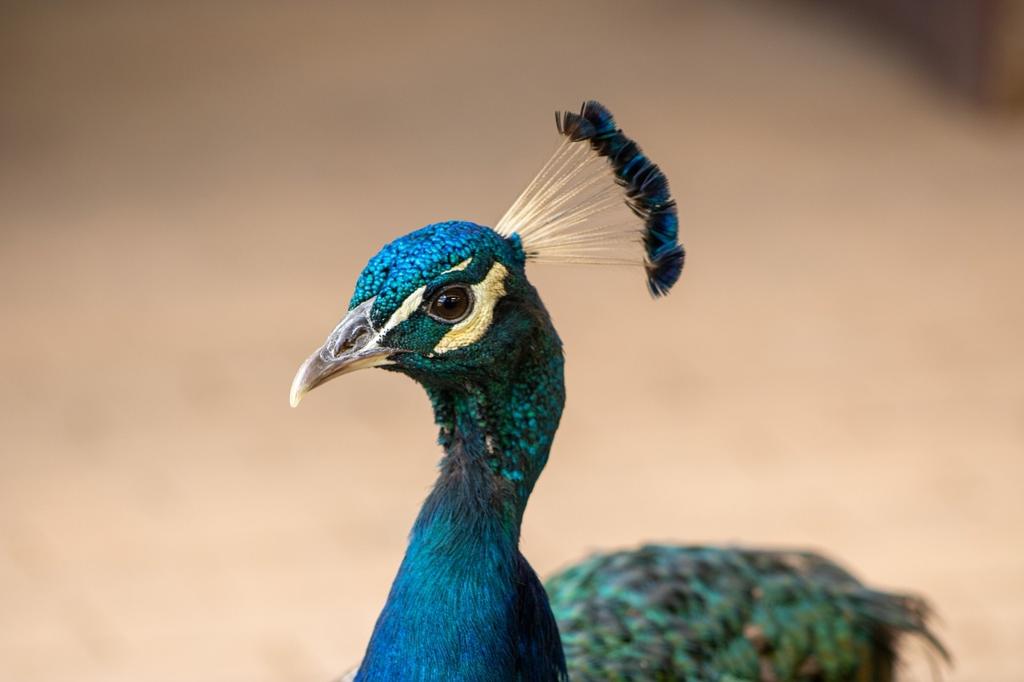
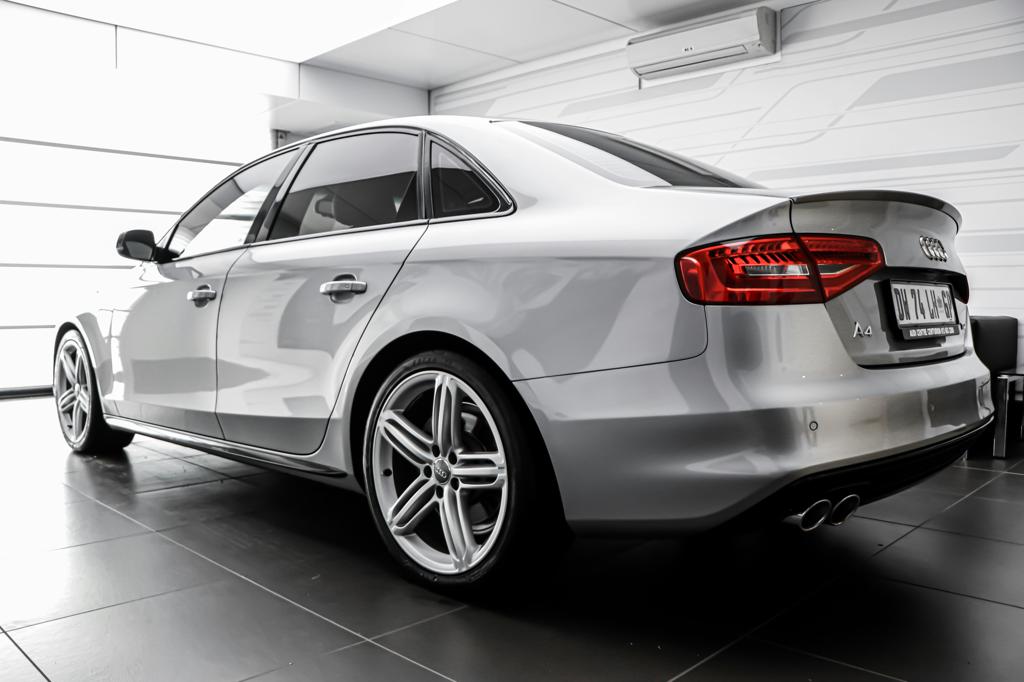
Set a vibrant peacock perched gracefully on a rustic wooden table in an outdoor café setting, surrounded by potted plants and a charming stone wall, while placing a sleek silver car parked nearby, reflecting the warm sunlight filtering through the glass doors.

He gently cradles the bird as it perches delicately on his outstretched fingers, its feathers ruffling slightly in the warm breeze of a tranquil savanna. The golden grass sways softly around them under a vast sky painted with soft pastel hues of dawn, while his focused gaze meets the bird’s bright eyes, creating a quiet moment of connection.

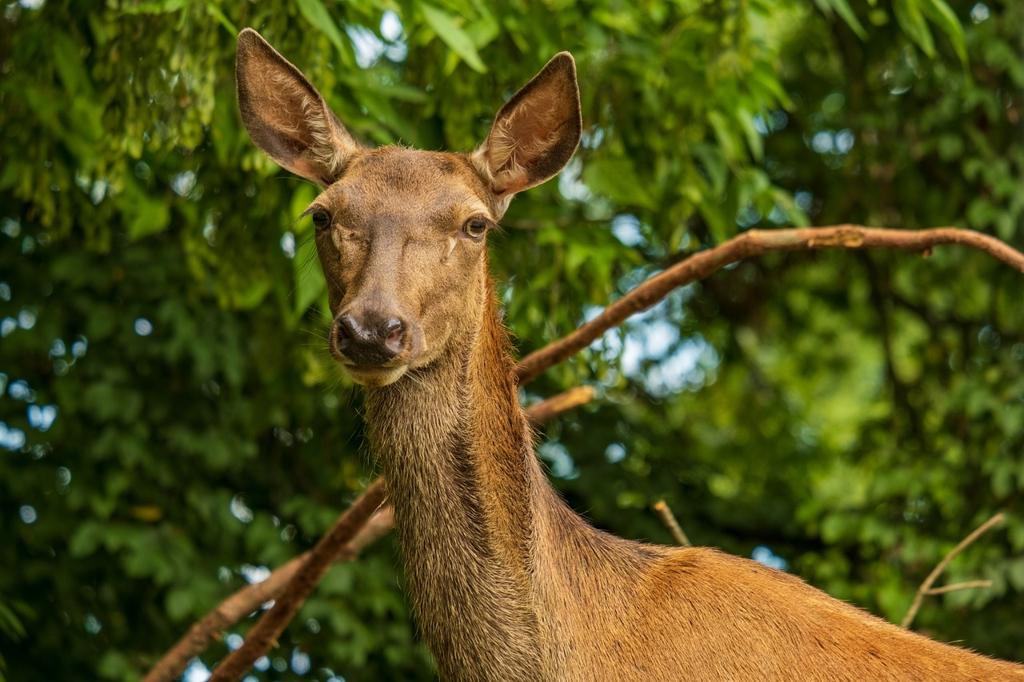
She reaches out to touch the deer's head, with the deer looking calmly at her in a serene forest setting.

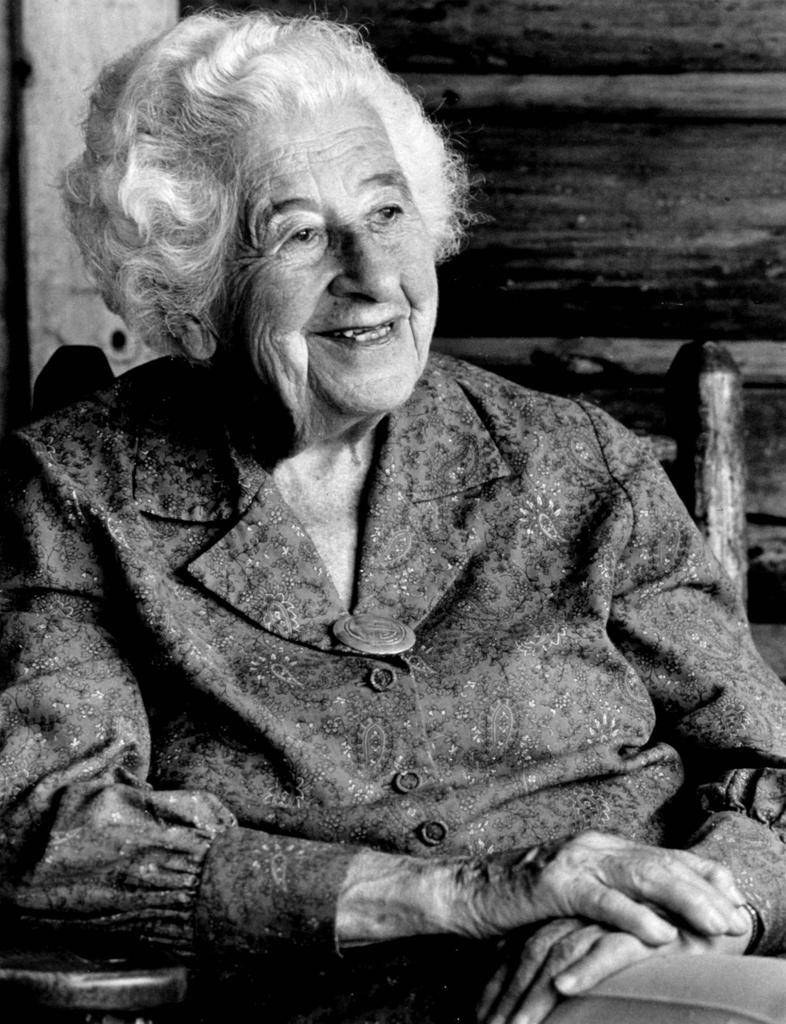
Please make the lady from the first image crouch slightly in a warmly lit living room as she playfully pats the Shiba Inu from photo 2. Her hand is mid-motion, just above the dog’s head. The dog stands on a patterned rug, glancing up with an excited yet puzzled look. A floor lamp casts soft shadows in the cozy, wood- paneled room.

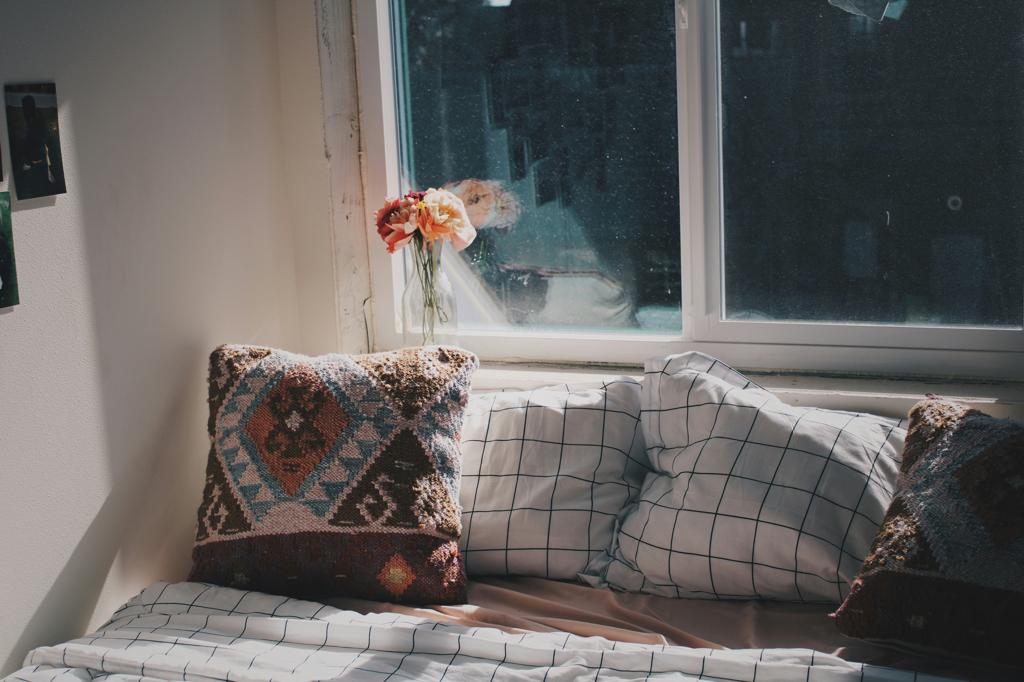
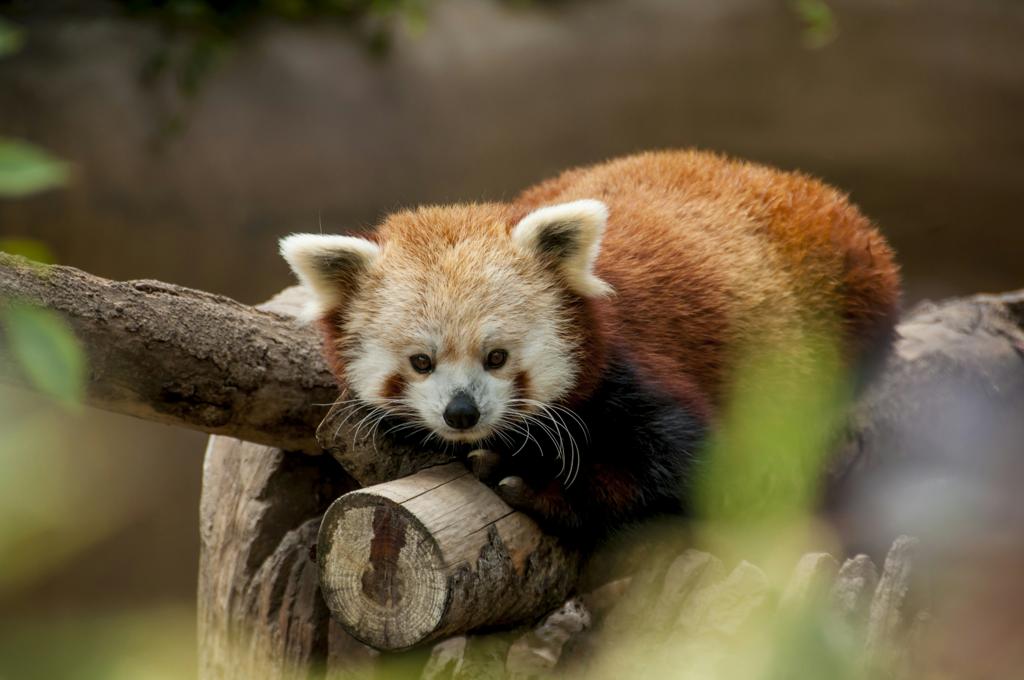
Place the red panda on the edge of the bed, curling up against the decorative pillows as it gazes out the window, soaking in the warm sunlight.

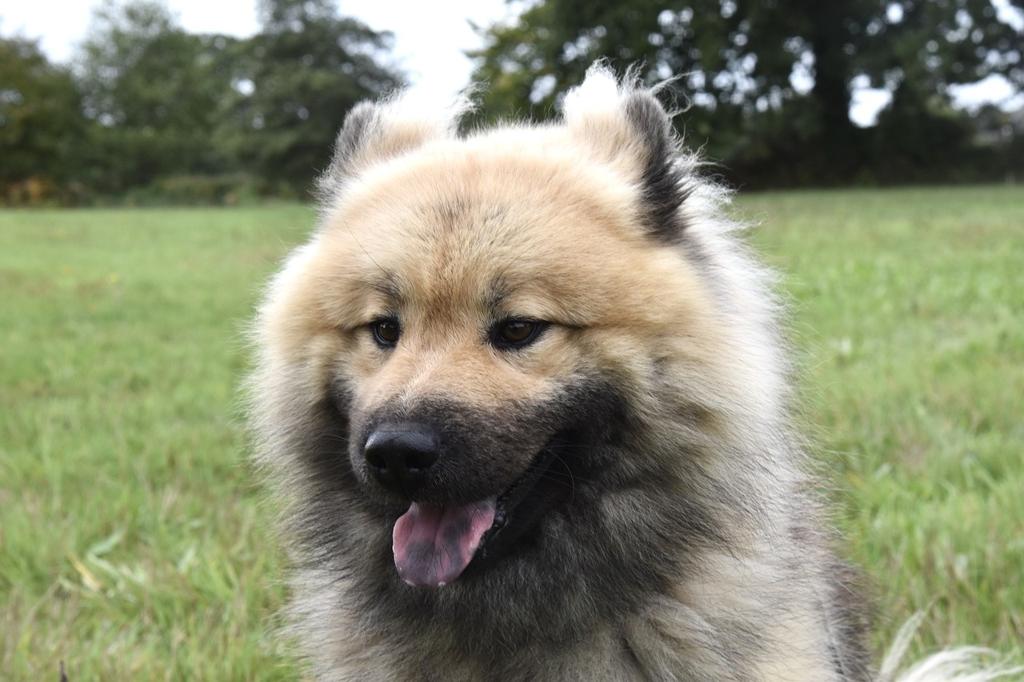
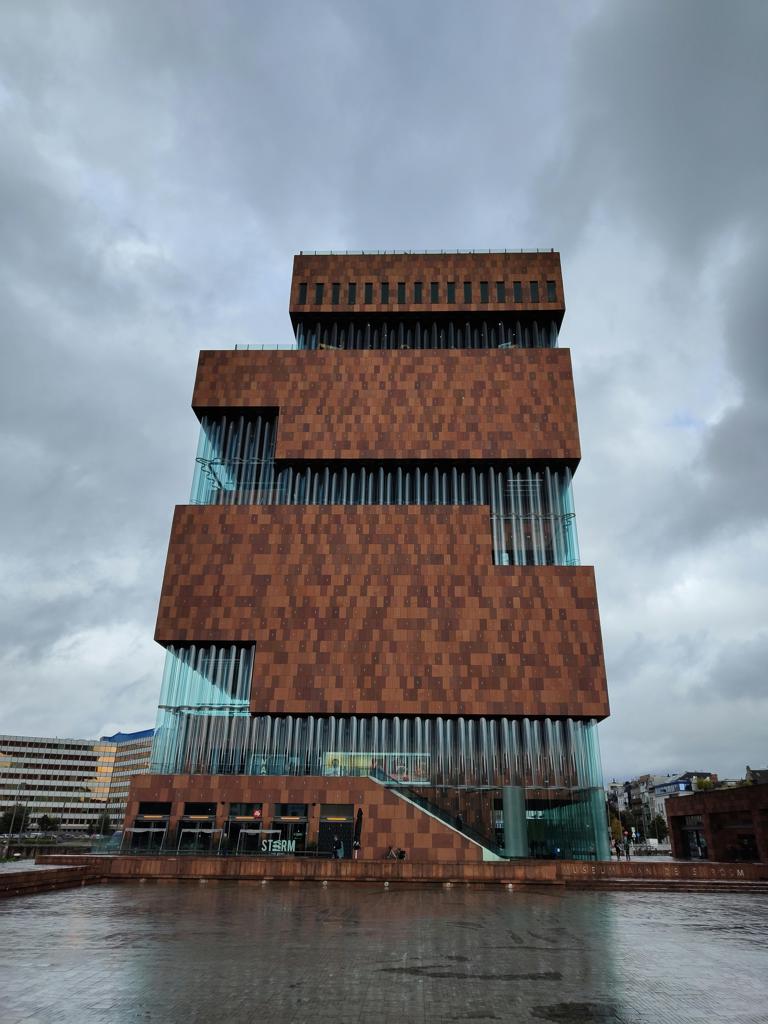
Place the fluffy dog on the wet pavement in front of the modern museum.


Video Editing


Replace the blue leaf-patterned wall with a soft, textured olive-green wallpaper featuring subtle white floral accents.
Change the projected city background to a rain-soaked, neon-lit street scene in Tokyo with glowing blue signage that matches the room's ambient lighting.
Change the background to a sunlit alpine road with snow-capped mountains and a blue sky.
Replace the laptop screen content with a flowing digital watercolor painting in soft teal and gold hues, matching the room's natural lighting.
Add in the background a rustic wooden cabin featuring a glowing window and a snow-laden roof.
Replace the green leaf pattern on the blanket with a delicate pattern of small white daisies on a soft light blue background.
Replace the pink coffee cup with a vintage porcelain cup featuring a delicate blue floral pattern, maintaining the same placement and lighting on the green table.
Replace the blurred colorful planets with high-definition, realistic celestial bodies showing visible cloud formations and textured surfaces, matching the boy's space-themed play
Change the copper mug’s surface to a frosty, icy finish with delicate ice crystals forming on its exterior, reflecting the dim snowy light.
Replace the guitar's body with a deep, glossy cherry wood finish that mirrors the soft light on the left side of the frame.
Change the background to a smooth, pale green ceramic plate with subtle floral patterns, enhancing the sushi's traditional presentation.
Replace the pineapple-shaped inflatable ring with a smooth, glossy ring that reflects the ocean's blue hues.
Change the background to a tranquil, misty alpine meadow with wildflowers and distant snow-capped peaks, maintaining the same warm, natural lighting and camera perspective.
Change the wooden surface to a smooth, light gray stone surface with subtle marbling patterns.
Shift the lighting from cool purple-blue tones to warm golden-hour sunlight, casting honey- gold highlights through the woman's curls while maintaining the slow-motion movement and cinematic depth.
Make it Children's Book Illustration.
Convert the video into a pixel art style by reducing the resolution and creating a mosaic effect with square-shaped pixels and simplified colors for a classic pixelated appearance.
Convert the snowy mountain landscape into a watercolor painting.


Text/Image-to-Video Generation


Input Image (Optional) Input Prompt Generated Video

A person playing a acoustic guitar, strumming gently with expressive fingers, sitting on a wooden stool in a cozy living room. The room is dimly lit with soft candlelight casting warm shadows. Behind them, a vintage wall clock ticks softly. The person wears a t-shirt and jeans, with tousled brown hair framing their face. They play with emotion, occasionally pausing to adjust the strings. The background features old bookshelves filled with various musical instruments and a crackling fireplace. The scene has a nostalgic and intimate atmosphere, capturing the joy and passion of music. Close-up of the guitar and fingers, medium shot of the person and room, low-angle shot of the guitar.

Pixel art style, a cute and happy Corgi playing joyfully in a picturesque park during a beautiful sunset. The Corgi has fluffy white fur, expressive brown eyes, and a wagging tail. It is wearing a small red bowtie around its neck. The park is filled with lush green grass, colorful flowers, and tall trees. The sky is painted with vibrant hues of orange and pink as the sun sets behind a row of buildings. Birds can be seen flying around, adding to the lively atmosphere. The Corgi is running around, chasing butterflies and playing with a small ball. The background includes a mix of pixelated and smooth elements, creating a unique and nostalgic vibe. Pixel art texture, medium shot focusing on the Corgi in action.

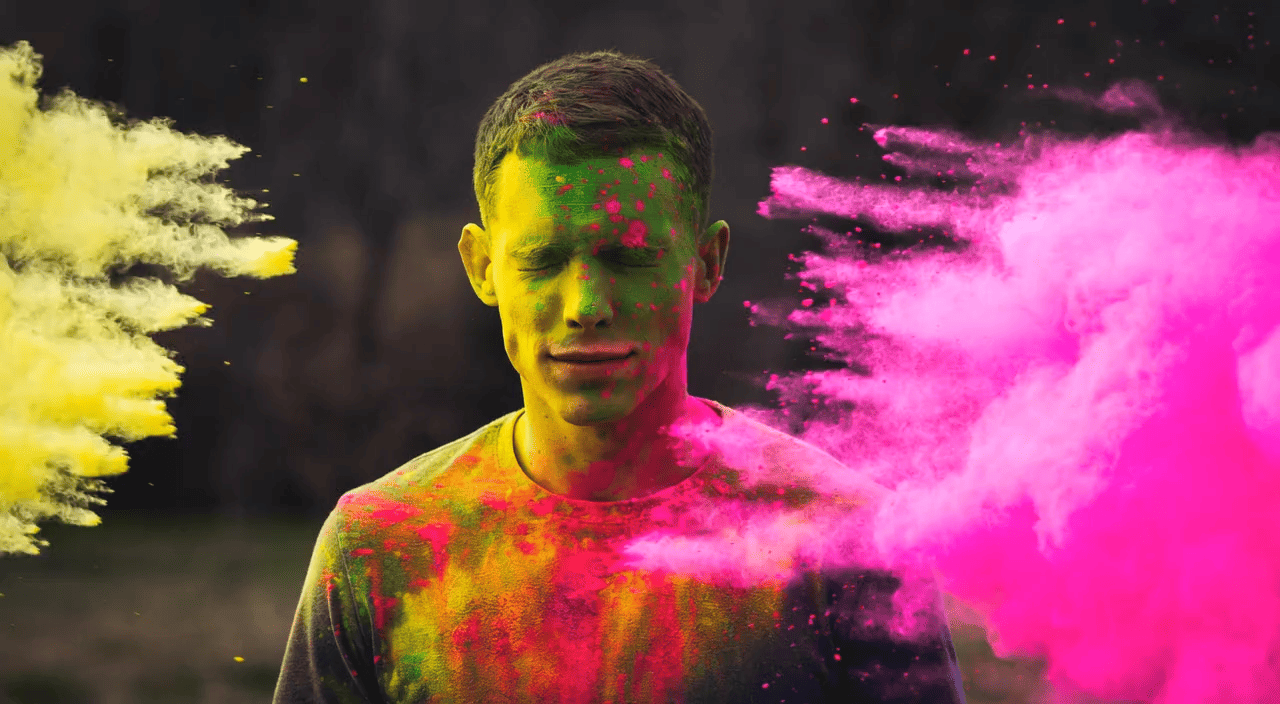
A young man is covered in colored powder.

Tower bridge in london, camera zooms in.


Method Details


MetaCanvas connector design

Teaser Figure

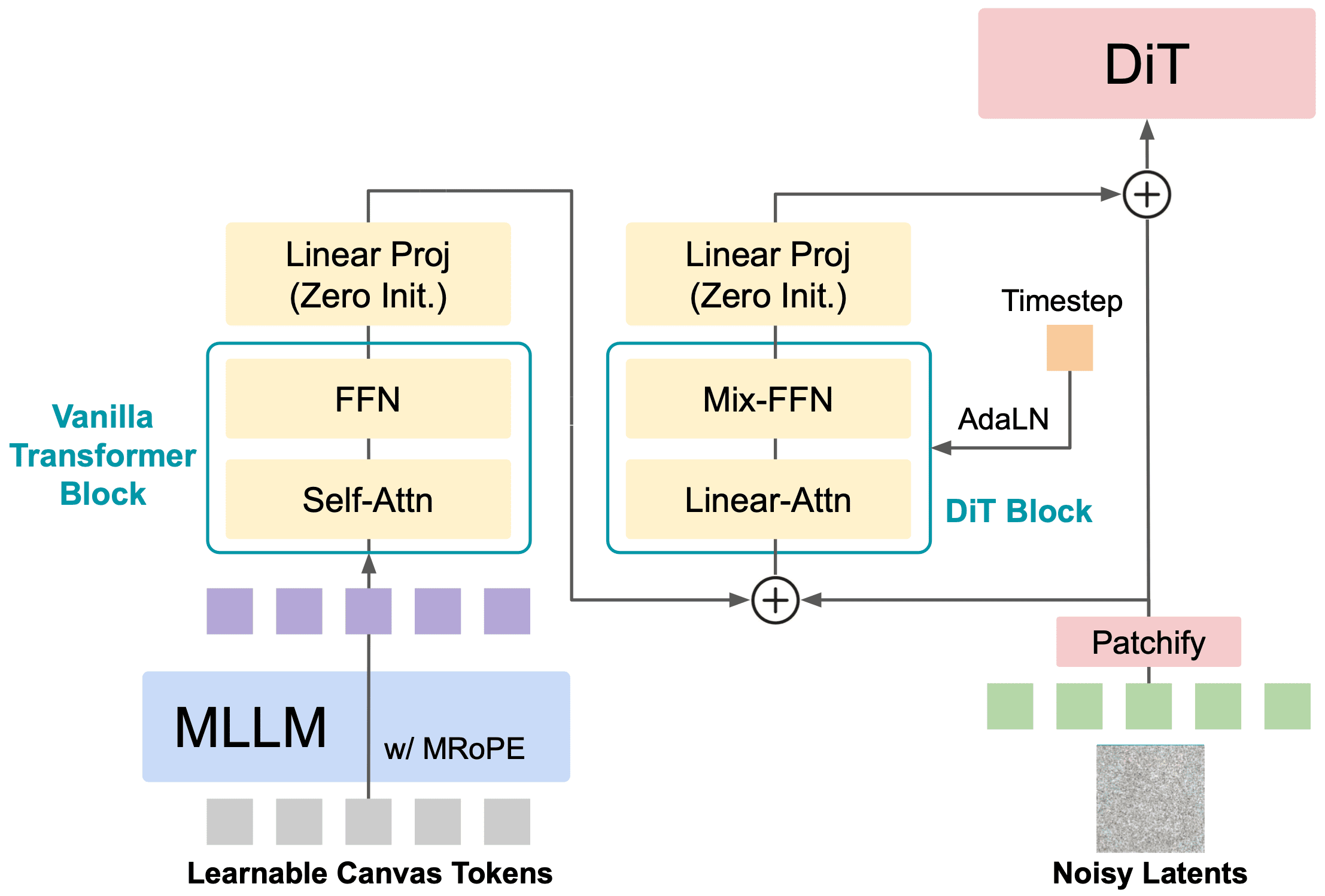
Figure 2: MetaCanvas connector design details.

The canvas connector comprises a vanilla Transformer block and a Diffusion Transformer (DiT) block. The vanilla Transformer block transforms the learnable canvas tokens to align them with the DiT latent space. The second DiT block adopts a ControlNet-style design, where the transformed canvas tokens and the noisy latents are first combined and then passed through a DiT block with Adaptive LayerNorm (Perez et al., 2018). We adopt Linear-Attn and Mix-FFN design from (Xie et al., 2024a) to reduce memory usage. The outputs of both blocks are followed by a zero-initialized linear projection layer, ensuring that at the beginning of training, the learnable canvas tokens have no influence on the DiT’s latent inputs.


MetaCanvas keyframes and reference/condition frames injection strategy for video tasks

keyframe injection

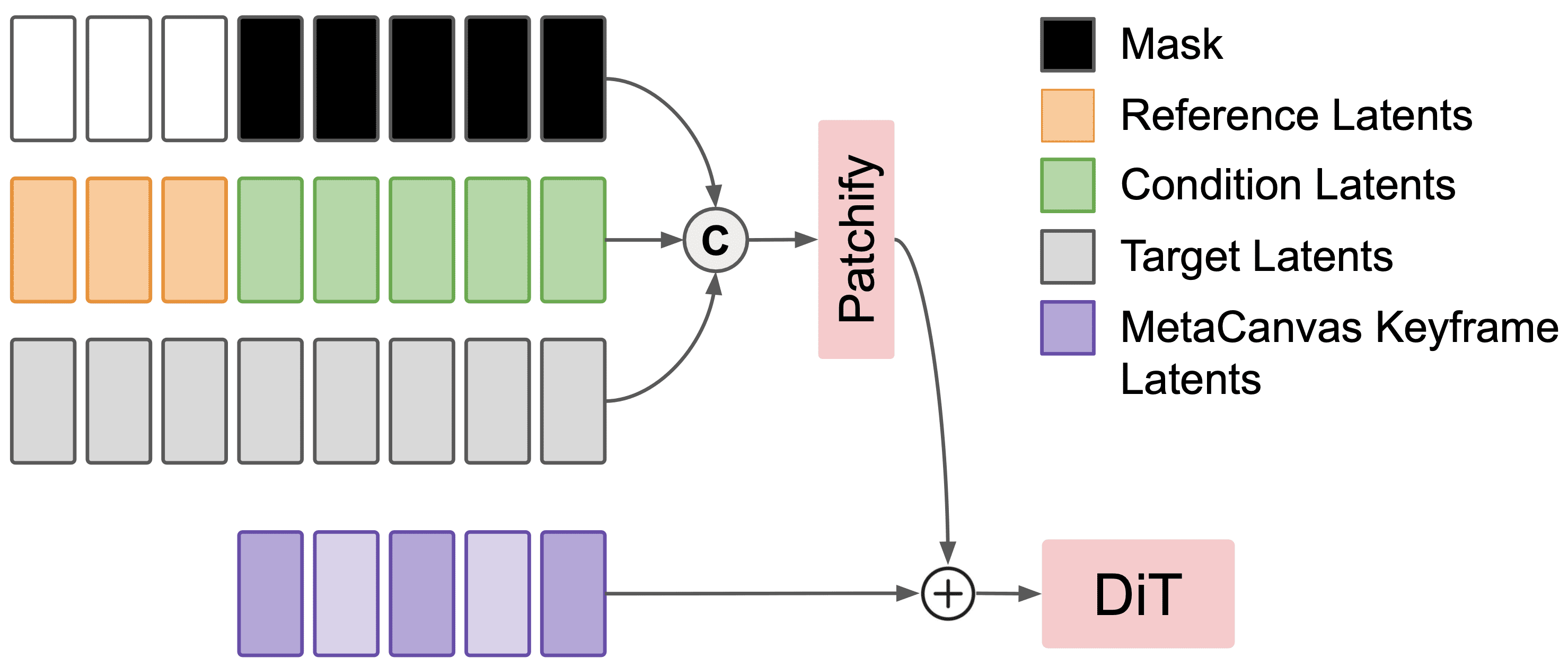
Figure 3: MetaCanvas keyframes and reference/condition frames injection strategy for video tasks.

We modify the input layer of Wan2.2-5B (Wan et al., 2025) to concatenate reference and condition latents with noisy latents along the channel dimension. The resulting tensor is then passed through the patch embedding layer and combined with MetaCanvas keyframes after interpolation. Light purple tokens represent interpolated keyframe canvas. Note that we do not apply MetaCanvas keyframe latents to reference frames for video tasks.


Quantitative Results


Exploratory Experiments on T2I Generation


We aim to validate two questions here:
Q1: Does MetaCanvas really help guide the generation process of diffusion models?
Q2: What connector design is most effective?


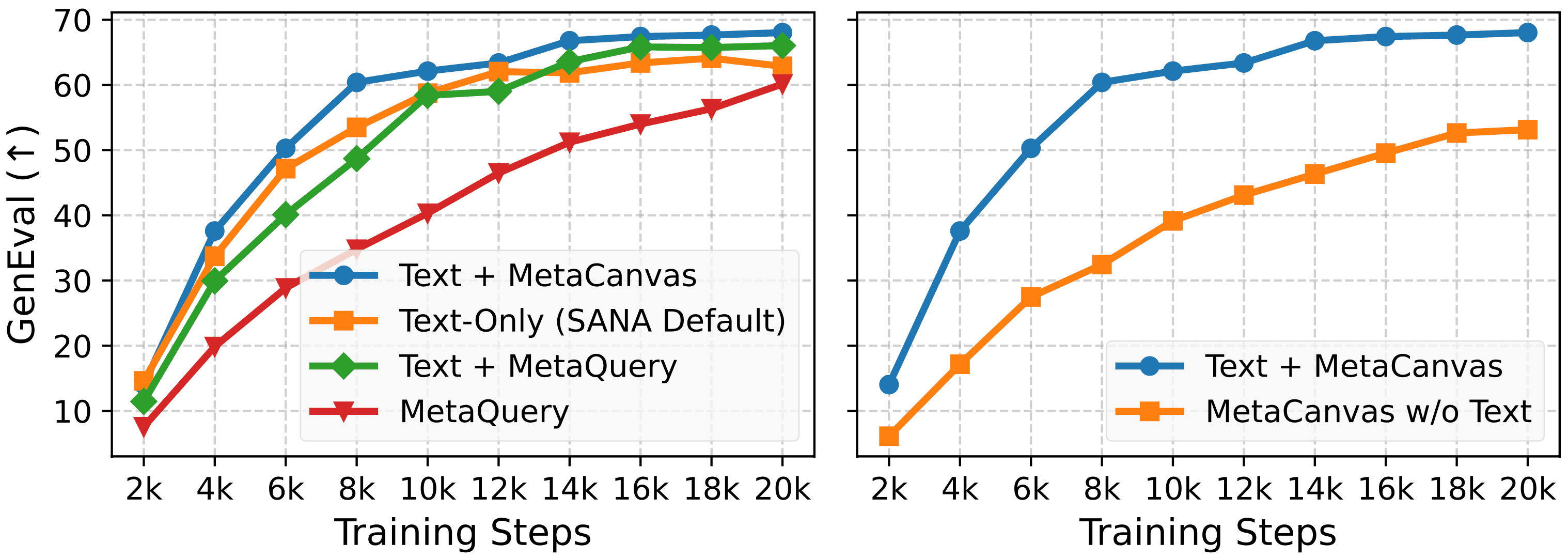
To answer Q1, in Figure 4 (left), we compare MetaCanvas with (1) the default SANA baseline (T5 text conditioning), (2) an architecture equivalent to MetaQuery (Pan et al., 2025) that uses 256 learnable 1D query tokens produced by Qwen-2.5-VL while reusing the same text-conditioning interface, and (3) a variant that concatenates T5 text embeddings with the 256 MetaQuery tokens for additional context. As shown, combining text as global guidance with MetaCanvas as a visual prior yields consistent gains and has the fastest GenEval convergence among all variants.

In Figure 4 (right), we further evaluate a no-text variant. Even without any text conditioning, adding 2D learnable canvas tokens on top of the noisy latents in DiT provides meaningful structural guidance, demonstrating effective information transfer from the MLLM to the DiT via MetaCanvas.


Comparison of training loss and GEdit-Bench scores

Figure 4 Left: Comparison of MetaCanvas with MetaQuery and text conditioning. Right: Comparison of MetaCanvas with and without additional text conditioning.


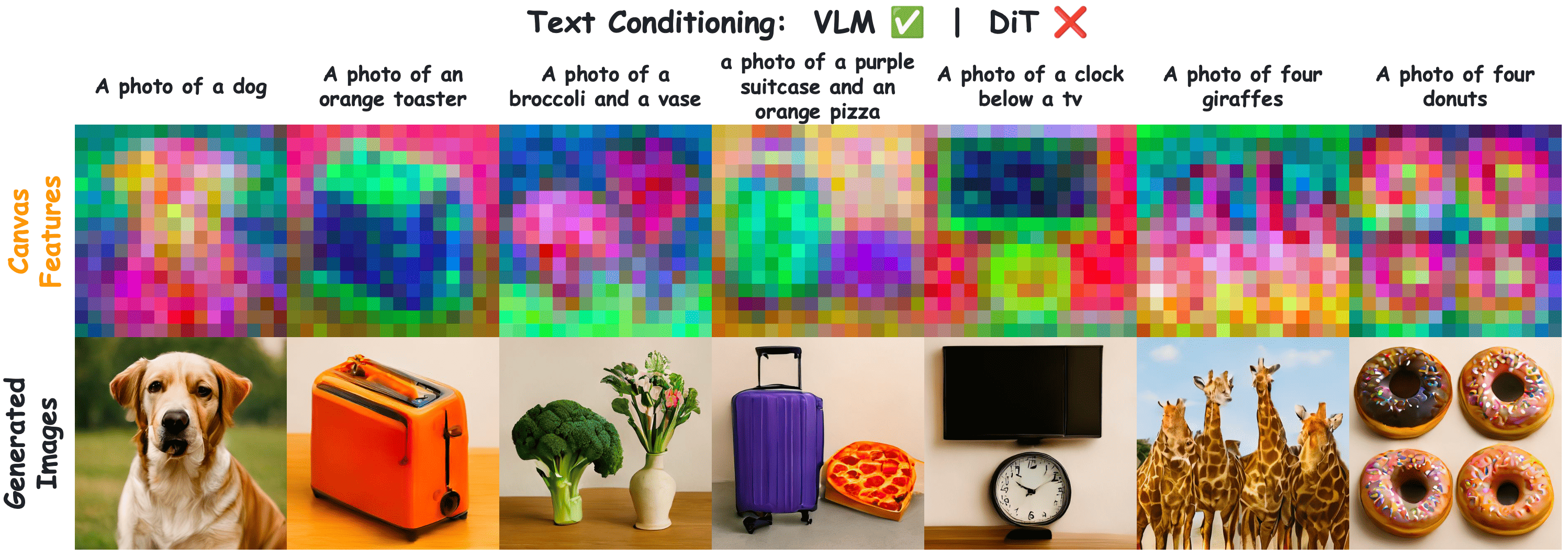
In Figure 5, we visualize the canvas tokens by training SANA (Xie et al., 2024a) from scratch using only canvas tokens from Qwen2.5-VL (Wang et al., 2024a) as the conditioning input, with no text signals provided to the DiT. Following (Tumanyan et al., 2023), we apply PCA to the features produced by the MetaCanvas connector. Canvas tokens output from MLLM can serve as reasonable visual planning sketches to effectively guide the final image synthesis in the DiT.

Visualization of canvas features and generated images

Figure 5: Visualization of canvas features (1st row) and generated images (2nd row) using only canvas tokens without extra text conditioning in DiT.


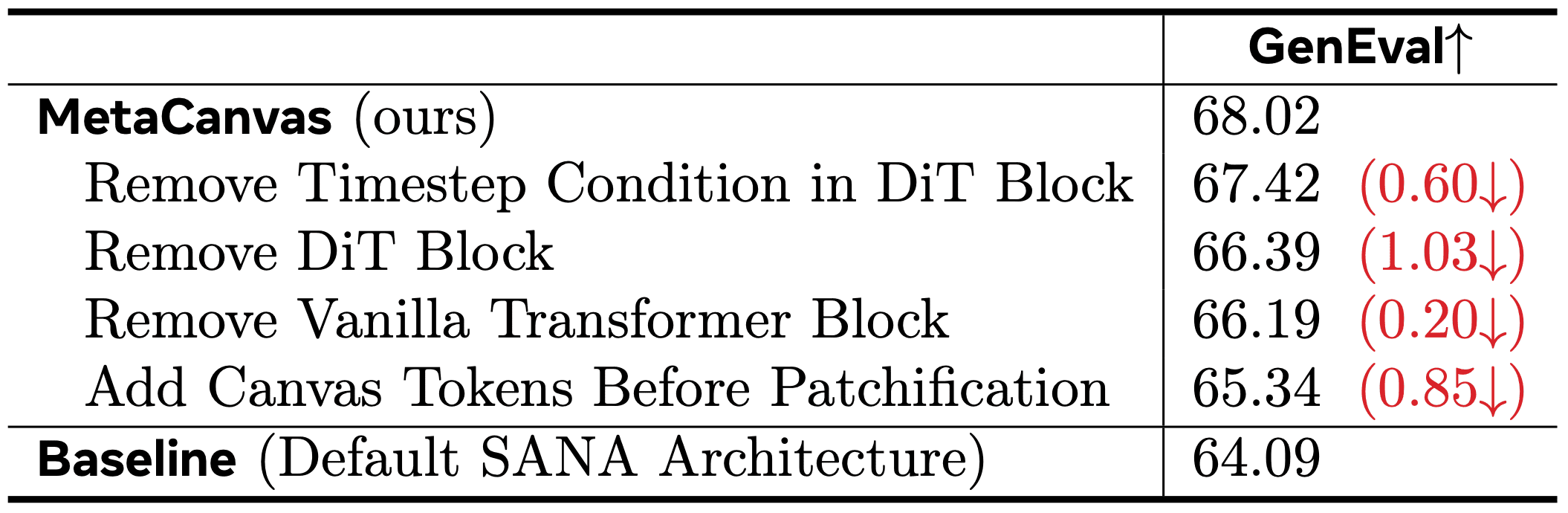
We address Q2 with an ablation study on the MetaCanvas connector design in Table 1. We find that conditioning on the timestep enables dynamic control over the influence of canvas tokens on the noisy latents, while the proposed DiT block and accompanying transformer blocks effectively transform and fuse canvas-token information with the latents. Moreover, avoiding early projection of canvas tokens into the low-dimensional VAE space yields additional gains.

Ablation study on MetaCanvas connector design
Table 1: Ablation study on MetaCanvas connector design.


Results on Image Editing Task

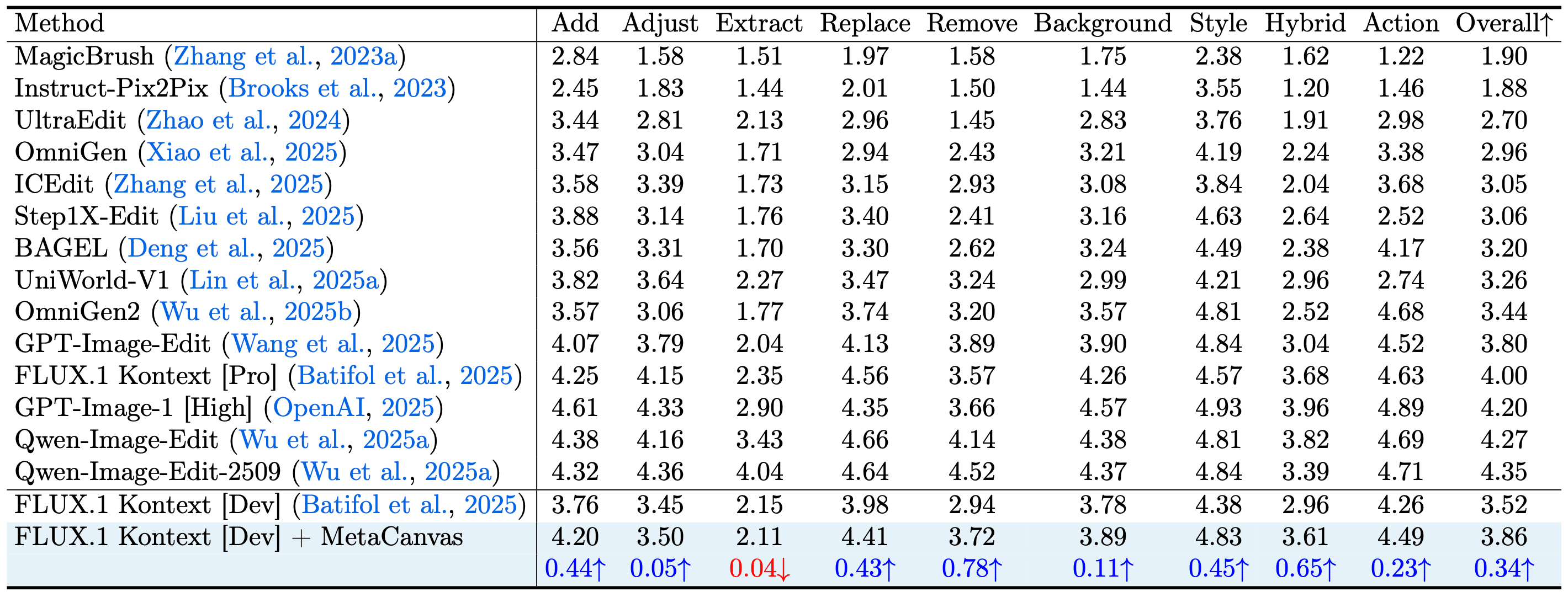
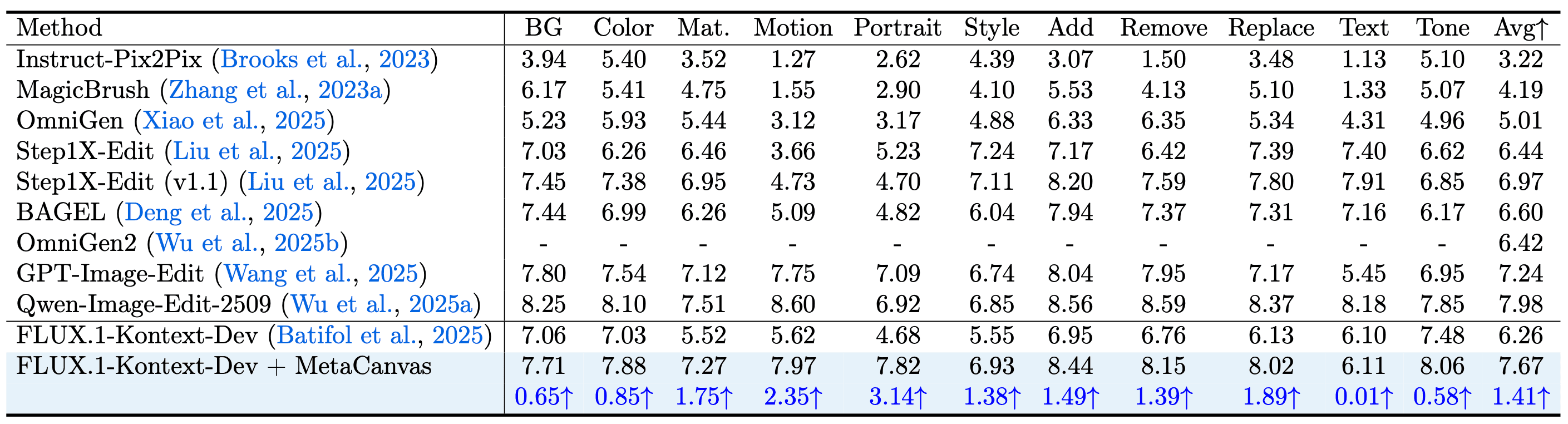
We evaluate the fine-tuned image-editing model FLUX.1-Kontext [Dev] (Batifol et al., 2025) augmented with MetaCanvas against competing methods on ImgEdit-Bench (see Table 2) and GEdit-Bench (see Table 3). Equipping FLUX.1-Kontext [Dev] with MetaCanvas yields consistent improvements on both benchmarks.

Quantitative comparison with models on ImgEdit benchmark
Table 2: Quantitative comparison with models on ImgEdit (Ye et al., 2025) benchmark.

Quantitative comparison results on GEdit-EN-full benchmark
Table 3: Quantitative comparison results on GEdit-EN-full (Liu et al., 2025) benchmark.


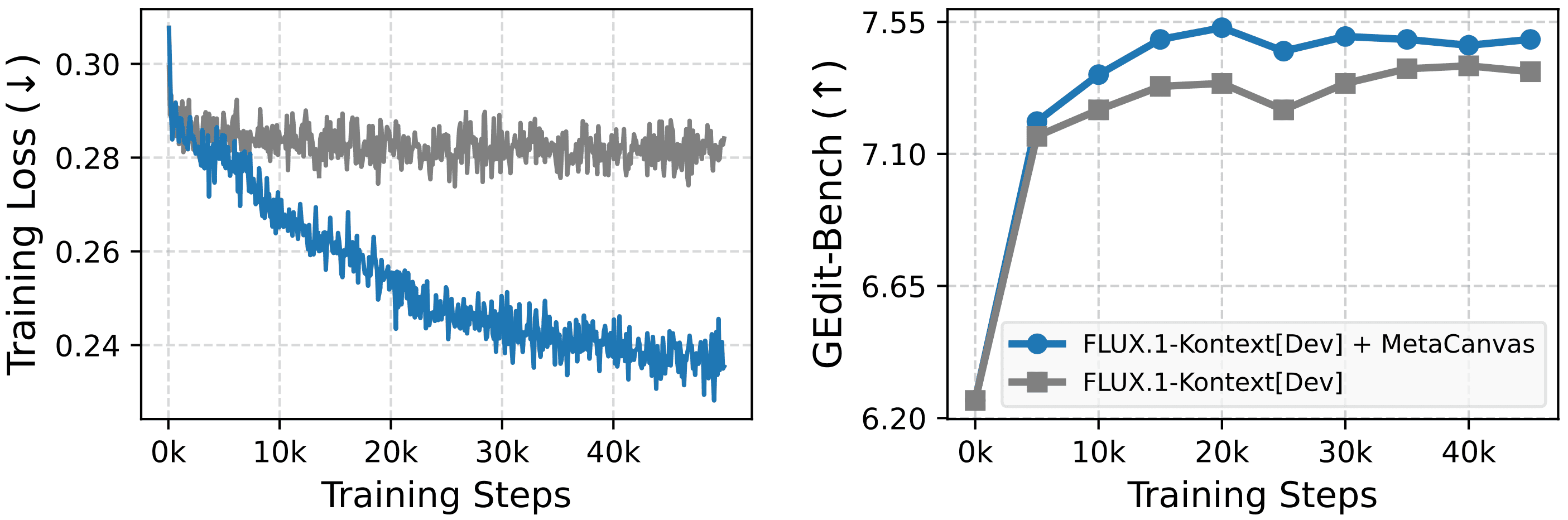
Figure 6 further contrasts the vanilla model with its MetaCanvas-augmented counterpart under the same training setup, showing steady gains throughout training. Notably, these benefits come from adding only lightweight connector modules, incurring minimal parameter and computational overhead.

Comparison of training loss and GEdit-Bench scores
Figure 6: Comparison of training loss and GEdit-Bench scores for the baseline method without canvas tokens and MetaCanvas. Both models are fine-tuned on the same training dataset.


Results on Video Generation Task

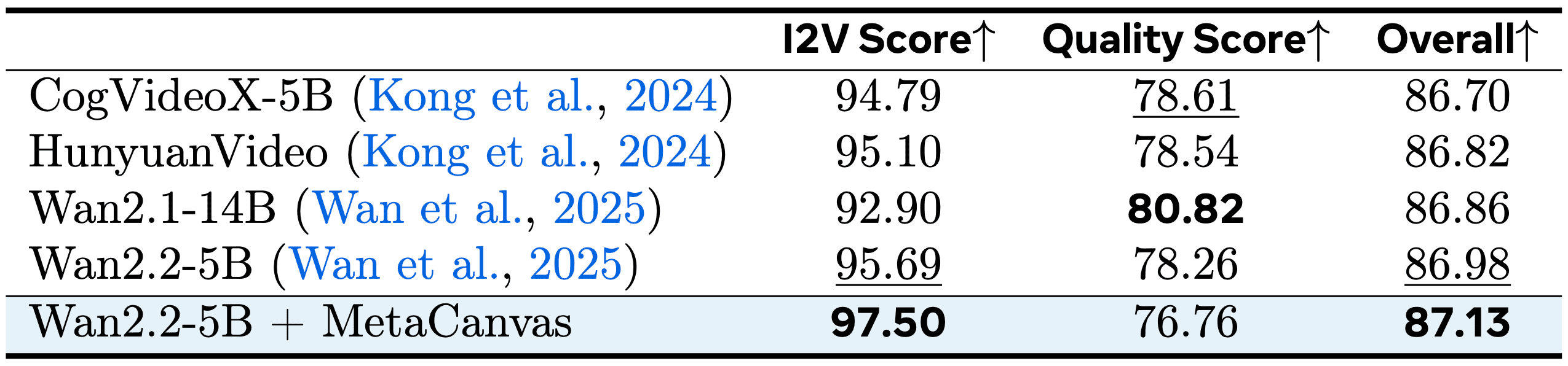
In Table 4, we compare videos generated by MetaCanvas with open-source models, including CogVideoX-5B (Yang et al., 2024), HunyuanVideo (Kong et al., 2024), Wan2.1-14B (Wan et al., 2025), and the baseline model Wan2.2-5B (Wan et al., 2025). Our method achieves comparable performance while being additionally equipped with strong video editing capabilities.

Quantitative comparison with models on ImgEdit benchmark
Table 4: Quantitative comparison results on VBench-I2V (Huang et al., 2024b). Best numbers are bolded, and the second best are underlined.


Results on Video Editing Task

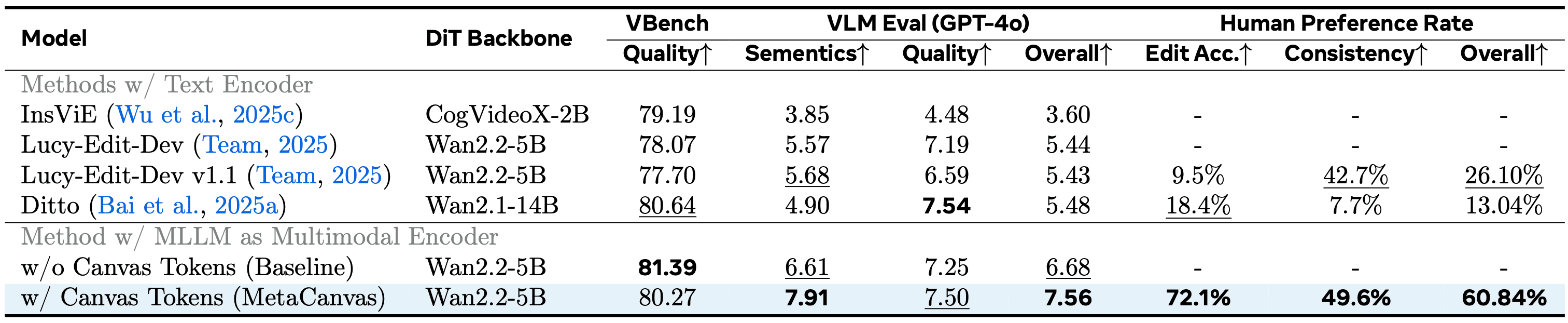
We compare MetaCanvas with recent SoTA models, including InsViE (Wu et al., 2025), Ditto (Bai et al., 2025), and Lucy-Edit-Dev (Decart et al., 2025), as well as a control setup of our method that excludes canvas tokens. As shown in Table 5, MetaCanvas achieves comparable video quality scores, as measured by VBench (Huang et al., 2023; Huang et al., 2024) and GPT-4o (OpenAI, 2024), while outperforming all baselines in editing accuracy (i.e., semantics) by a large margin. In addition, we conduct human evaluations comparing Lucy-Edit-Dev v1.1, Ditto, and MetaCanvas, and report the win rates for editing accuracy, spatio-temporal consistency, and overall user preference. MetaCanvas achieves the highest preference rate across all evaluation dimensions. Furthermore, the controlled variant without canvas tokens attains competitive or better performance relative to other baselines, demonstrating the effectiveness of replacing the text encoder with a MLLM-based multimodal condition encoder.

Quantitative comparison results on GEdit-EN-full benchmark
Table 5: Quantitative comparison on video editing task. Best numbers are bolded, and the second best are underlined.


Results on In-Context Video Generation Task

In Table 6, we compare MetaCanvas with Wan-VACE (Jiang et al., 2025) 1.3B/14B on video generation from reference images. MetaCanvas achieves competitive performance with these baselines, particularly on human-object interaction tasks (i.e., character + object under multiple ID categories).

Quantitative comparison with models on ImgEdit benchmark
Table 6 Quantitative comparison results on our OmniContext-Video benchmark for in-context video generation from reference images.

BibTeX

@misc{lin2025exploringmllmdiffusioninformationtransfer,
    title={Exploring MLLM-Diffusion Information Transfer with MetaCanvas}, 
	author={Han Lin and Xichen Pan and Ziqi Huang and Ji Hou and Jialiang Wang and Weifeng Chen and Zecheng He and Felix Juefei-Xu and Junzhe Sun and Zhipeng Fan and Ali Thabet and Mohit Bansal and Chu Wang},
	year={2025},
	eprint={2512.11464},
	archivePrefix={arXiv},
	primaryClass={cs.CV},
	url={https://arxiv.org/abs/2512.11464}, 
}